
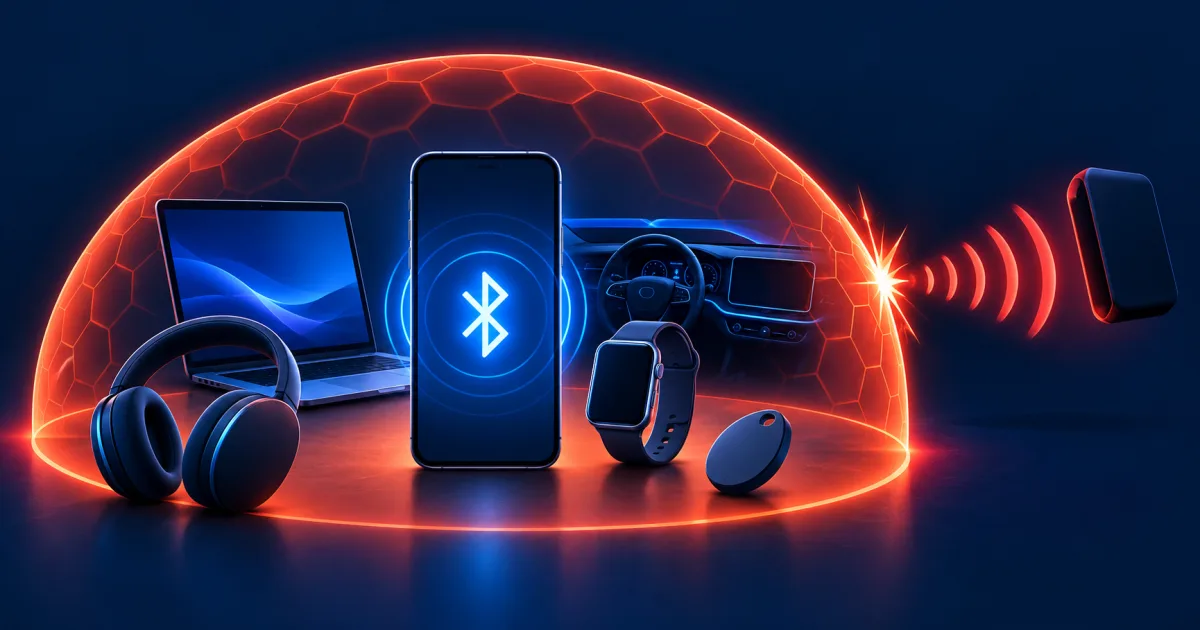
Bluetooth terms that change the security decision
These terms describe different moments in the relationship. Knowing which one you are looking at prevents a nearby advertisement from being confused with a completed trusted connection.
Discoverable or advertising
The device is announcing information that helps another device find it. Visibility is not the same as a completed pairing or permission to use a sensitive service.
Pairing
Two devices establish shared security material and choose how identity or user intent will be checked for this setup.
Bonding
The devices save information from pairing so they can recognize and reconnect to each other later. Forgetting or resetting removes that continuing trust.
Bluetooth Classic and Bluetooth Low Energy
BR/EDR and LE use different connection and security mechanisms. A product can support one or both, so the visible Bluetooth name alone does not describe its security behavior.
Profile or service
A paired device may expose audio, keyboard input, contacts, messages, health data, file transfer, or another function. Pairing does not mean every profile should be permitted.
Unknown tracker alert
The phone reports a compatible location tracker that appears to be moving with you. The tracker is a separate device and needs a safety-aware investigation and disable procedure.
Bluetooth protection checklist
- Install current operating system, radio driver, vehicle, wearable, and accessory firmware.
- Review every saved Bluetooth device and remove anything no longer owned or used.
- Pair only after deliberately placing the intended accessory in pairing mode.
- Compare every displayed digit or passkey on both devices before approval.
- Grant only the audio, contact, message, input, health, or location access required for the task.
- Review Bluetooth and nearby-device permissions for installed applications.
- Keep unknown tracker alerts enabled and know where the platform's manual scan is located.
- Remove data and bonds from both sides before returning, selling, lending, or servicing a device.
- Record the firmware, owner, paired hosts, reset method, and review date for high-impact accessories.
- Test one intended connection and one uninitiated connection that should be rejected.
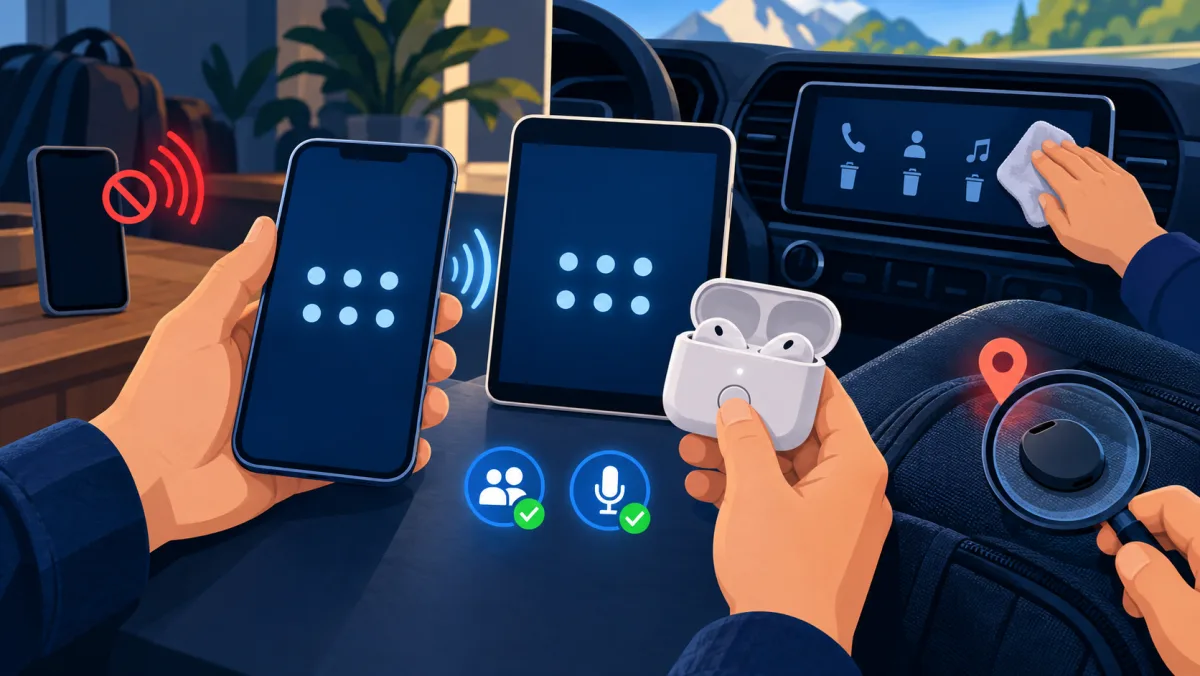
Safe Bluetooth pairing and access review
Use the illustration and record below to control the complete relationship: identity during pairing, permitted data after pairing, and revocation when the device is no longer trusted.
| Stage | Action | Evidence to keep |
|---|---|---|
| Before pairing | Update both devices, identify the exact accessory, and move lookalike devices away | Model, firmware, owner, and intended host |
| During pairing | Initiate from Settings, use the accessory's physical control, and compare the complete code | Matched display value or documented no-display method |
| After pairing | End pairing mode and enable only the profiles required for the task | Saved device, active connection, and permitted data types |
| End of use | Remove the bond and copied data from both devices, then reset before transfer | Empty saved-device list and completed manufacturer reset |
| Suspected abuse | Preserve the alert or identifier, move to safety when needed, contain, update, and verify | Time, device identifier, permissions, response, and negative retest |
For an unwanted tracking alert, preserve the alert and consider personal safety before disabling the tracker. Turning off Bluetooth on the phone does not stop a separate tracker from transmitting.
Understand what a nearby attacker would need
Bluetooth attacks are usually local, but local does not mean harmless. The attacker normally needs radio range plus another condition: an unsafe pairing decision, a previously trusted bond, an exposed service, weak legacy pairing, physical access to an accessory, or a software flaw. A person across the internet cannot normally create a Bluetooth radio connection to your phone. Someone in the same room, vehicle, office, train, or apartment may be close enough to try.
A device name is only a label. It does not prove which headset, keyboard, car, or computer is requesting access. Treat unexpected prompts as untrusted even when the name looks familiar, and do not describe every nearby advertisement as a successful hack. The evidence that matters is a completed pairing, an unknown saved device, an unexpected active connection, a changed permission, or a security alert tied to a specific device.
| Situation | What the other person usually needs | Useful defense |
|---|---|---|
| Unexpected new pairing | Your approval or a weak pairing method | Reject it and start pairing from Settings only when ready |
| Old trusted accessory | A saved bond or access to the accessory | Remove unused devices from both sides and reset before transfer |
| Software vulnerability | Range, a vulnerable version, and the affected radio path | Install operating system, driver, and accessory firmware updates |
| Unwanted tracker | A separate tag hidden with you or your property | Use platform alerts, preserve evidence, locate it, and follow safe disable steps |
Harden every device before pairing
Update the phone or computer, Bluetooth driver, vehicle software, wearable, and accessory firmware before changing convenience settings. Security depends on both ends of the connection. A current phone cannot repair weak firmware in an old headset, keyboard, car system, smart lock, or medical accessory. If the maker no longer provides security updates or reset instructions, avoid using that accessory for sensitive input, health data, access control, or account authentication.
Keep the device screen locked and leave pairing or discovery mode off except during a planned setup. Remove accessories you no longer own or use. Review which apps can use Bluetooth or nearby-device access and revoke permissions that have no clear function. A generic device name can reduce casual personal identification in public, but renaming is privacy housekeeping, not authentication and not a substitute for updates or verified pairing.
- Use the normal Settings application rather than a link, QR code, browser prompt, or unsolicited notification to begin pairing.
- Keep automatic reconnection only for devices you still control and expect to use.
- Turn Bluetooth off in system Settings when it is not needed during a high-risk event, but keep tracking-alert requirements in mind.
Follow a controlled Bluetooth pairing procedure
Pair in a quiet place where you can see and control both devices. Move other accessories of the same model away or power them down so the device list is unambiguous. Start from the trusted phone or computer, then put the intended accessory into pairing mode with its physical control. If both screens show a number, compare every digit before accepting. If the values differ, cancel on both devices and start again.
A speaker or simple headset may have no screen and may use a method that cannot prove protection against a person between the devices. Compensate by pairing at close range in a controlled location, confirming the accessory entered pairing mode only when you pressed its control, and ending pairing mode immediately afterward. For keyboards, locks, health devices, payment accessories, or anything carrying sensitive data, prefer supported products with authenticated pairing and clear security documentation.
- Install current software and charge both devices.
- Power down other nearby devices with the same visible name.
- Open Bluetooth Settings on the trusted phone or computer.
- Use the intended accessory's physical control to start pairing mode.
- Select the device only after it appears as a result of that action.
- Compare the complete code on both displays when a code is available.
- Cancel any mismatch, unexpected request, or unexplained fixed PIN prompt.
- Grant only the profiles and data permissions required for the task.
- Confirm that pairing mode ends and only the intended device connects.
- Remove the bond from both devices when ownership or use ends.
Choose a pairing method that fits the risk
Modern Bluetooth can use stronger pairing methods, but the method is limited by what both devices can display, enter, or verify. Numeric Comparison lets a person confirm that two displayed values match. Passkey Entry proves knowledge of a value entered on one side. Out of Band methods use another channel. Just Works supports devices with limited controls, but it does not give the same protection against an active person between the devices.
Legacy fixed PINs such as common factory codes are weak because the secret may be predictable and reused. Do not force an old fixed-PIN accessory into a sensitive role merely because it still connects. Bluetooth SIG guidance favors current Secure Simple Pairing and Secure Connections where supported. Product labels can be unclear, so check current manufacturer documentation when the accessory protects a door, accepts keyboard input, carries health information, or authorizes a transaction.
| Pairing method | What you should verify | Where caution is highest |
|---|---|---|
| Numeric Comparison | The complete value matches on both displays | A rushed approval or screen you cannot see |
| Passkey Entry | The value came from the intended device | Someone can observe, reuse, or substitute the value |
| Out of Band | The second channel and device identity are trusted | An untrusted tag, code, application, or setup link |
| Just Works | You physically initiated the intended accessory nearby | Crowded places and sensitive input or access-control devices |
| Legacy fixed PIN | The maker still supports the device and documents the risk | Predictable codes, old firmware, and high-impact uses |
Secure Bluetooth on Android phones and tablets
On Android, begin in Settings under Connected devices or Bluetooth. Menu names differ by manufacturer, so use the Settings search when needed. Start pairing only after placing the intended accessory in pairing mode. After setup, open the saved device details and disable contact sharing, message access, phone calls, or media audio that the accessory does not need. To retire access, choose Forget or Unpair rather than merely disconnecting for the day.
Review Settings under Privacy or Permission manager for Nearby devices and Bluetooth access. Remove permission from apps that do not need to discover or communicate with nearby hardware. If Fast Pair saved an accessory to the Google Account, review the saved-device association as well as the local bond. Keep unknown tracker alerts enabled on a supported Android version, and use the manual scan in Safety and emergency when you have a concrete concern.
- Do not accept a pairing notification merely because it appears while Bluetooth is on.
- Use the saved-device settings to inspect connection types and data access after pairing.
- Remember that turning off the phone's Bluetooth does not switch off a separate tracker that is traveling with you.
Secure Bluetooth on iPhone, iPad, Mac, and Windows
On iPhone or iPad, use Settings, then Bluetooth, and choose the accessory only after you deliberately made it discoverable. Use the information control beside a saved device and select Forget This Device when access should end. Review Settings, Privacy & Security, then Bluetooth to revoke app access that is no longer justified. Control Center can temporarily disconnect accessories, but Apple notes that this is not the same as turning Bluetooth off in Settings.
On a Mac, open System Settings and Bluetooth, then forget devices that should not reconnect. On Windows 11, use Settings, Bluetooth & devices, then Devices to inspect or remove saved accessories. Swift Pair and similar convenience prompts still require judgment: accept only when you just placed the expected accessory in pairing mode. Keep macOS, Windows, Bluetooth drivers, and manufacturer firmware current, because a correct settings checklist cannot compensate for vulnerable radio software.
- Recheck app permissions after restoring a phone or migrating data to a new device.
- Remove shared office, conference-room, or borrowed accessories when the task ends.
- If a saved device returns after account sync, remove the account association as well as the local connection.
Limit what cars, wearables, and accessories can copy
A car may request far more than audio. It can import contacts, recent calls, messages, favorites, and notification data. Grant only what the driving function needs. In a rental, borrowed, sold, or serviced vehicle, delete your phone from the vehicle and delete the vehicle from the phone. Check the car screen for imported contacts or call history before leaving. A cable or app connection may store data separately, so review those systems too.
Reset headphones, speakers, keyboards, mice, watches, fitness devices, and smart-home accessories before selling, returning, or giving them away. Remove the device from every old host, not just the host you currently use. Treat Bluetooth keyboards as input devices with access to everything you type. Treat watches and health accessories as personal-data systems. For smart locks and access controllers, secure the linked account, recovery process, firmware, guest access, and activity log in addition to the radio connection.
| Device | Data or control to review | End-of-use procedure |
|---|---|---|
| Vehicle | Contacts, messages, calls, microphone, media, and navigation history | Delete the profile and imported data on both sides |
| Headphones or speaker | Microphone, auto-connect, and saved hosts | Forget, factory-reset, and confirm pairing mode is closed |
| Keyboard or mouse | Input trust and saved computers | Remove every host and reset before transfer |
| Watch or health device | Health, notifications, location, and account sync | Unpair through the supported app and erase account data |
| Lock or access device | Members, guests, recovery, firmware, and audit history | Revoke users, rotate recovery, update, and verify access |
Respond safely to an unknown Bluetooth tracker
An unwanted tracker is a separate battery-powered device. Switching off Bluetooth on your phone does not disable that tracker, and disabling alerts can remove a useful warning. If Android or an Apple device reports a tracker moving with you, open the alert, review the map and time information, and use the supported sound or nearby-finding feature when it is safe. Save screenshots and the tracker identifier before changing it if stalking, theft, or another crime may be involved.
Move to a safe public location and contact a trusted person or local law enforcement when personal safety is at risk. Do not confront a suspected person alone. Follow the platform and manufacturer instructions to locate and disable the tracker; removal steps differ by model. Search belongings, vehicles, and mobility equipment carefully without creating another hazard. A tracker alert can also have an innocent explanation, but that possibility should not override a pattern that follows you or reaches sensitive locations.
- Keep the phone operating system, Bluetooth, location services, and tracking notifications configured as required by the platform.
- Preserve the alert, serial information, map, dates, and relevant circumstances before disabling the device when safe to do so.
- Use the manufacturer's current disable procedure rather than damaging an unknown battery device.
Contain suspected unauthorized Bluetooth access
If an unknown device appears as paired or connected, first capture the device name, address or identifier when shown, time, permissions, and any related alert. Disconnect Bluetooth through system Settings if immediate radio access is the concern. Remove the unknown bond, revoke unnecessary app permissions, and install current updates. Then examine what that connection could reach: contacts, messages, calls, audio, input, files, a health profile, a vehicle, or a linked cloud account.
Change important account credentials from a trusted device when the event exposed authentication data, messages, or account recovery. Reset an accessory through its official procedure if ownership is uncertain, then pair it again in a controlled place. For a work device, vehicle fleet, medical system, smart lock, or credible stalking event, preserve evidence and use the organization's security, manufacturer, healthcare, or law-enforcement process before destructive changes. A factory reset is a recovery step, not an investigation by itself.
- Preserve the prompt, connection, device identifier, permissions, and time.
- Move to safety first if the event may involve stalking or physical access.
- Disconnect the radio path in system Settings when immediate containment is needed.
- Remove unknown bonds and revoke unjustified application permissions.
- Update the host, radio driver, and affected accessory firmware.
- Secure exposed accounts and recovery methods from a trusted device.
- Reset and re-pair an accessory only after evidence and safety needs are addressed.
- Verify that the old bond cannot reconnect and that required functions still work.
Verify that Bluetooth protection actually works
Finish with observable checks. Open the saved-device list and account-level accessory list, then explain why every entry is present. Confirm that retired devices cannot reconnect, active accessories leave pairing mode, and unexpected prompts are rejected without breaking required functions. Review app permissions and the data profiles allowed to cars, watches, and headsets. Test one intended connection and one nearby action that should fail instead of trusting a status label.
Recheck after an operating system upgrade, vehicle service, phone migration, accessory reset, account restore, or change of ownership. Record the model, firmware, owner, paired hosts, permitted data, reset method, and review date for high-impact accessories. The goal is not to make the radio invisible. It is to know which device can connect, how it proves identity, what data it receives, how updates arrive, and how you can revoke access.
| Check | Expected result | If it fails |
|---|---|---|
| Saved devices | Every bond has a current owner and purpose | Forget unknown or retired devices and inspect account sync |
| Pairing mode | Accessory stops advertising for setup after completion | Exit pairing mode, restart, or follow the reset procedure |
| Permissions | Only required profiles and applications have access | Revoke one permission at a time and retest the intended task |
| Negative test | An uninitiated request is rejected and creates no bond | Update, reset, and investigate the device behavior |
| Tracker alerts | Platform alerts and manual scan are available | Restore required settings and current operating-system support |
Bluetooth security mistakes and hidden access
- Accepting a request because its visible name matches your headset, car, or computer. A name is not proof of device identity.
- Leaving an accessory in pairing mode after setup, which extends the time in which nearby devices can attempt a new bond.
- Using an unsupported accessory with a predictable fixed PIN for keyboard input, access control, health data, or account authentication.
- Assuming that non-discoverable means invulnerable. It reduces casual discovery but does not patch a vulnerable stack or remove old bonds.
- Turning off Bluetooth on the phone and assuming that a separate tracking tag has stopped transmitting.
- Resetting or destroying a suspected tracker before preserving its alert, identifier, location history, and personal-safety context.
- Leaving contacts, messages, call history, or account data in a rental car or borrowed accessory after disconnecting.
How to stop an unexpected Bluetooth connection
Reject the request. Do not test the code or accept first and inspect later. If Bluetooth is not needed, turn it off in system Settings until you leave the area. If it is needed, review the saved and connected device lists, remove anything unknown, and pair the intended headphones only after pressing their physical pairing control in a less crowded place.
Example: an unexpected headset request at an airport
A phone shows a pairing request from a device named Headset while its owner's headphones are in their case and were never placed in pairing mode. Several people nearby may have devices with similar names, so the label cannot identify the sender.
Confirm old bonds, permissions, and discovery are closed
Confirm that no new device appears in the saved list, the intended headphones connect only after their pairing control is used, and the unexpected device cannot reconnect. Check that the headphones leave pairing mode and that only necessary audio or microphone access is enabled.
Bluetooth security questions
Can someone connect to my phone through Bluetooth without permission?
Normal first-time pairing requires the devices to complete a pairing method, but an existing bond, unsafe approval, weak legacy pairing, misconfiguration, or a software vulnerability can change the risk. Keep software current, remove old bonds, and investigate unexpected active connections rather than assuming the name proves who connected.
Should Bluetooth stay off all the time?
Turn it off in system Settings when it is not needed or when immediate radio containment is appropriate. If you use accessibility, medical, tracking-alert, watch, or other safety functions, understand what stops working first. Bluetooth off on your phone does not disable a separate tracker.
Does hiding my phone or changing its Bluetooth name protect it?
It can reduce casual identification or discovery, but it does not authenticate another device, patch vulnerable software, revoke a saved bond, or limit app permissions. Treat it as a small privacy measure, not the primary control.
Can headphones or a car copy private data?
A car may request contacts, messages, calls, and notifications. Headsets can receive audio and may use a microphone. Review the profiles and permissions granted after pairing, and delete both the bond and copied data when the relationship ends.
What proves that Bluetooth was hacked?
A nearby device name or a battery symptom alone is weak evidence. Stronger evidence includes an unknown saved bond, an unexpected active connection, changed permissions, copied data, a platform security alert, or logs tied to a specific device and time. Preserve those details before resetting anything.
Does an unknown tracker alert mean someone is stalking me?
Not always, because a borrowed item or nearby travel companion can create an innocent explanation. Treat a persistent pattern that follows you or reaches sensitive locations seriously, preserve the alert, move to safety, and follow the platform and manufacturer response procedure.
Bluetooth security and tracking references
- NIST SP 800-121 Rev. 2, Guide to Bluetooth Security
- Bluetooth SIG, Security and Privacy Best Practices Guide
- Bluetooth SIG, Impersonation in legacy PIN pairing
- Google, Connect through Bluetooth on Android
- Google, Find unknown trackers on Android
- Apple, Connect a Bluetooth accessory to iPhone or iPad
- Apple, What to do after an unwanted tracking alert
- Apple, Control app access to Bluetooth
- Microsoft, Pair a Bluetooth device in Windows
- Apple, Connect a Bluetooth device with your Mac