

Draw the physical and logical network
List internet handoff, router ports, switches, access points, VLANs, and the management path. Mark which device supplies DHCP, DNS forwarding, VPN termination, and inter-VLAN policy.
The physical diagram shows where cables and devices connect; the logical diagram shows subnets, VLANs, routes, and trust boundaries. Keep both because a single switch trunk can carry several logical networks. Label the untagged network and management path so a reset device does not silently join the wrong zone.
- Avoid two unintended routers performing network address translation.
- Keep management interfaces off guest networks.
- Document the recovery address and a local configuration path.
Match ports to the full path
A multi-gigabit port does not guarantee multi-gigabit routed or inspected traffic. Compare published feature-enabled figures with a test that resembles the intended workload, including packet size, VPN, inter-VLAN policy, and concurrent flows. Record which functions were active when the measurement was taken.
| Path | Potential bottleneck | Check |
|---|---|---|
| Internet to router | WAN port or security inspection | Feature-enabled throughput |
| Router to switch | Single uplink | Link speed and expected inter-VLAN traffic |
| Switch to access point | Power or link speed | PoE budget and negotiated rate |
| Remote user to LAN | VPN processing | Protocol, authentication, and measured throughput |
Test rollback before a remote change
A configuration commit timer, console access, known-good backup, or on-site helper can prevent a remote rule change from becoming an outage. The rollback method should be tested before the risky change.
For remote work, use a commit-confirm feature, scheduled rollback, console connection, or trusted on-site helper. Save the current configuration before changing addressing, routes, VLANs, or access rules. A safe rollback restores both management access and the user traffic that justified the change.
Topology and capacity example
A wired gateway can separate security policy from Wi-Fi placement, but every inter-zone path may cross the gateway. The switch uplink and feature-enabled firewall throughput therefore matter together.
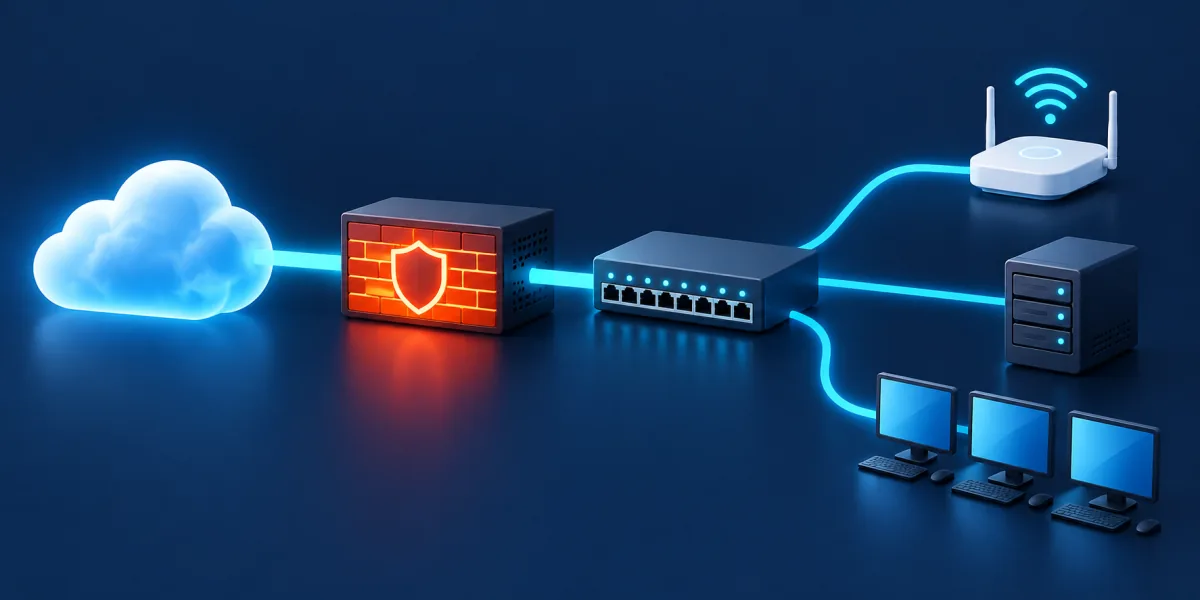
| Example path | Design check | Verification |
|---|---|---|
| 1 Gbps internet to trusted LAN | WAN, inspection, and LAN interfaces sustain required bidirectional load | Measure upload, download, latency, and resource use |
| Camera zone to recorder | Local traffic does not overload a narrow router or switch uplink | Measure at expected camera count and quality |
| Guest Wi-Fi to internet | Guest traffic is routed but cannot initiate trusted or management access | Test IPv4, IPv6, DNS, and router administration |
| Remote user to work device | VPN identity and throughput fit concurrent use | Test login, transfer, session expiry, and blocked sources |
Wired router design checklist
- Assign routing, DHCP, DNS forwarding, switching, Wi-Fi, and policy ownership.
- Match interface speeds and power budgets to the complete traffic path.
- Keep device management unavailable from guest and untrusted zones.
- Document VLAN identifiers, subnets, gateways, and allowed services.
- Test backup restoration and a failed remote change before relying on remote administration.
How to design a wired router deployment
Draw the topology first. Put routing and inter-zone policy on the gateway, VLAN transport and power on the managed switch, and wireless network mapping on the access points. Use one documented management network and avoid accidental double routing.
Example: separating the gateway from Wi-Fi
A small studio needs stable wired workstations, two ceiling access points, a guest network, and a separate network for cameras. Replacing one all-in-one router with a wired gateway changes where routing, switching, Wi-Fi, and power are managed.
Exercise each routed and management path
Test each physical link and zone separately, then run end-to-end workflows such as guest internet, trusted printing, camera recording, and administrator access. Export configuration from every device and record the order needed for recovery.
Wired router design mistakes
- Connecting a second router without choosing bridge or routing mode, resulting in unintended double network address translation.
- Creating VLAN tags on one device but not mapping them consistently through the switch and access points.
- Depending on cloud management without documenting local recovery when internet or account access is unavailable.
Wired router questions
Is a wired router faster than a wireless router?
Removing Wi-Fi does not inherently make routing faster. The advantage is architectural choice: interfaces, gateway placement, separate access points, and independent upgrade cycles.
Do I need a managed switch for multiple networks?
Usually, if several tagged networks must share links between the router and access points. A simple isolated guest feature may not require a separate managed switch.
Where should DHCP run?
Use one authoritative service per subnet unless a documented high-availability design says otherwise. The gateway is common, but the correct location depends on the architecture.